
Description
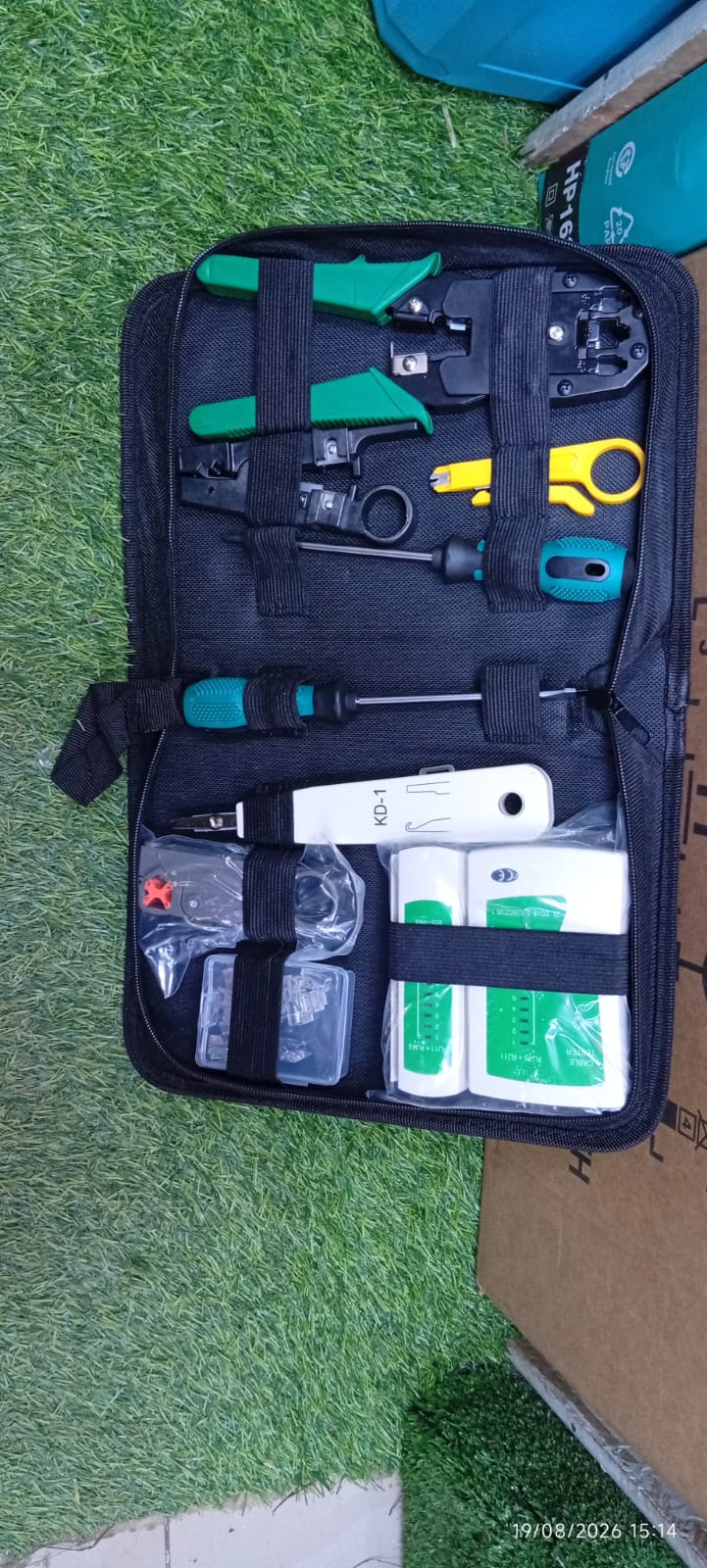
A Networking Tool Kit is a complete set of hand tools and testing equipment used to install, terminate, test and repair Ethernet and telephone cables. It is commonly used by network technicians, CCTV installers, IT support teams, electricians, telecom installers and DIY users working with structured cabling.
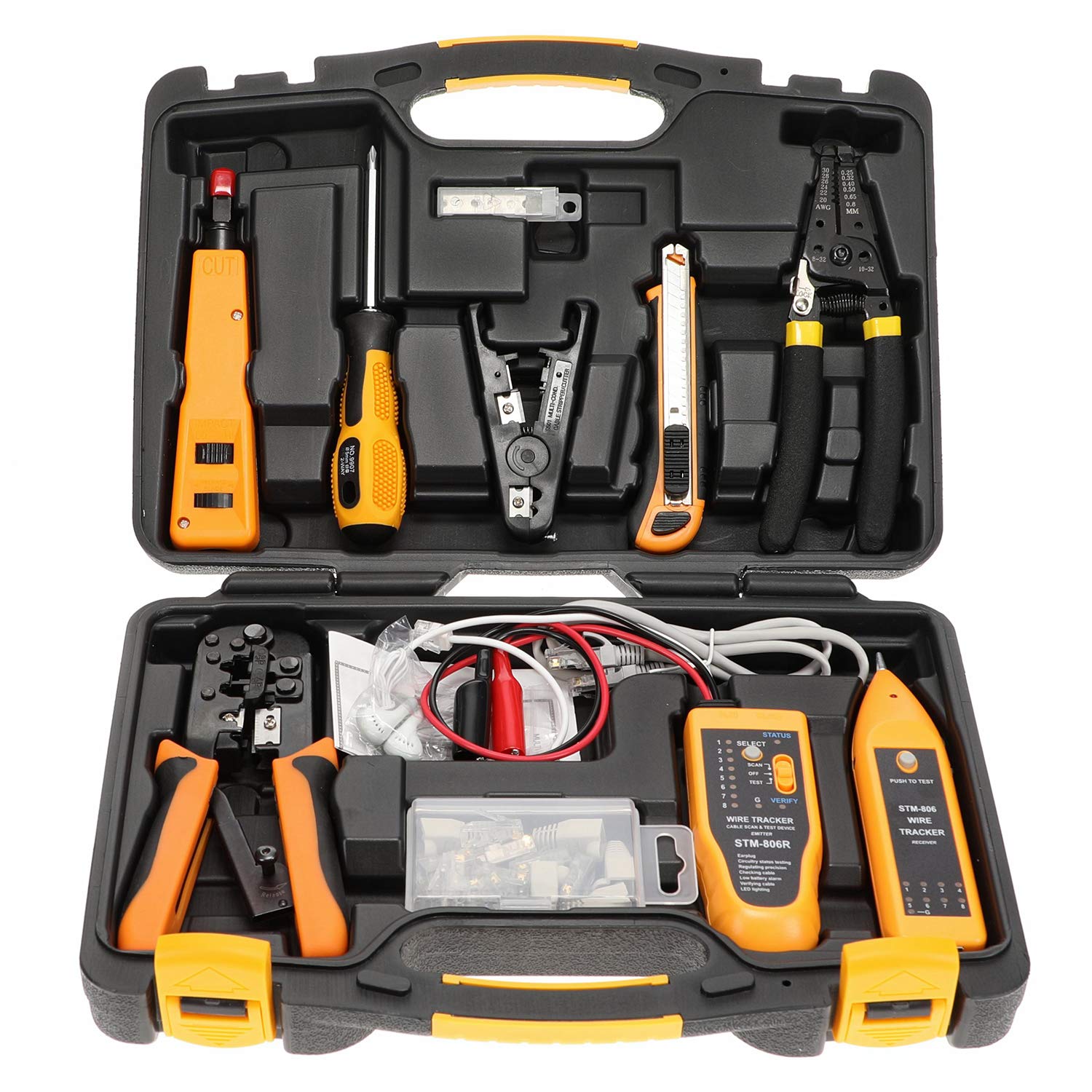
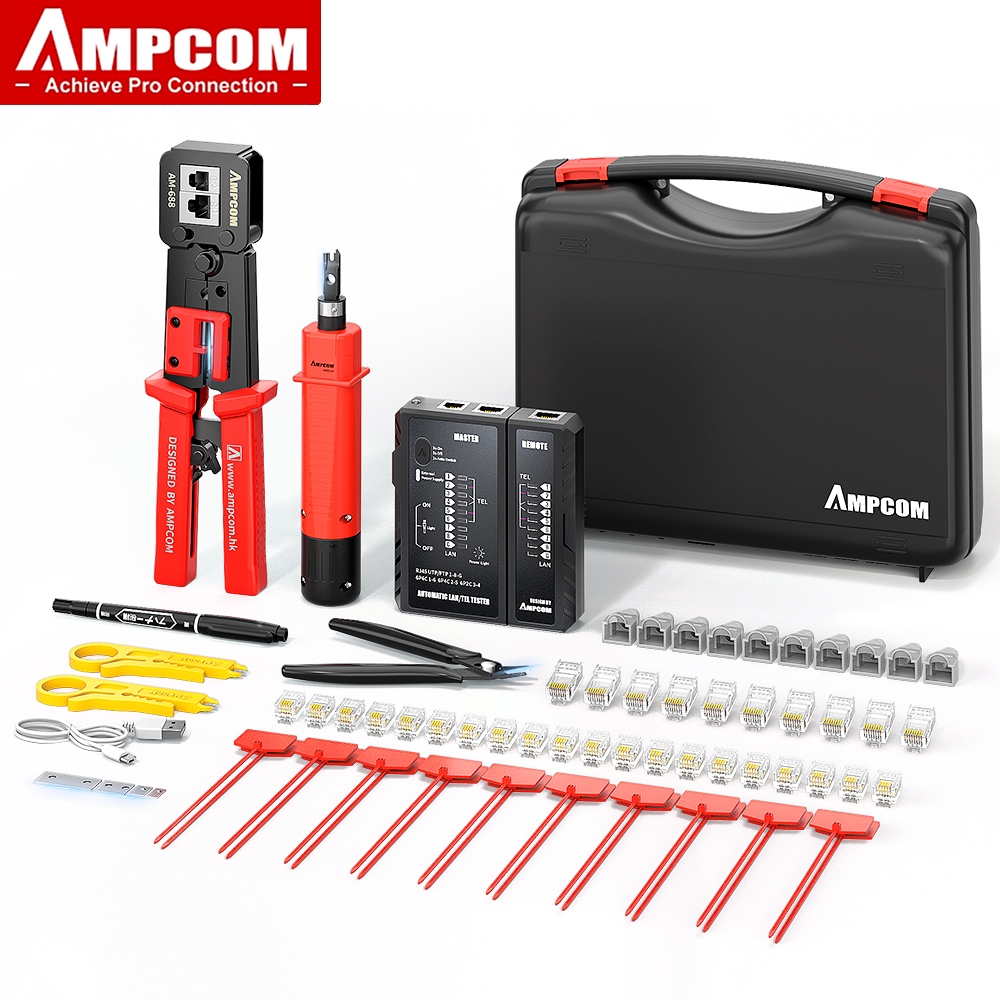
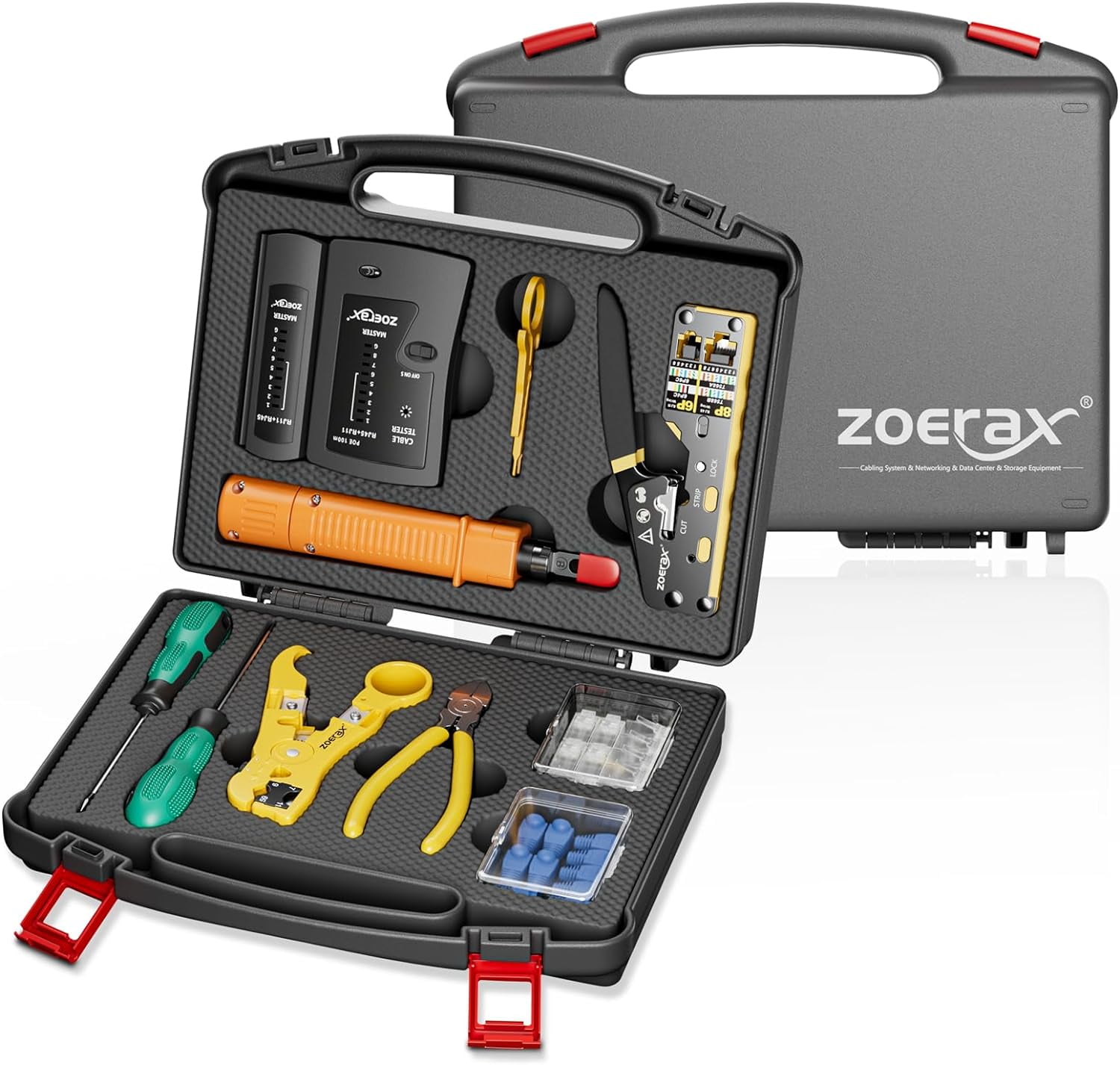
A typical kit combines an RJ45/RJ11 crimping tool, LAN cable tester, punch-down tool, wire stripper, screwdrivers, cable cutter and modular connectors in one portable case. More advanced kits may also include a wire tracer, pass-through crimper, tone generator and additional RJ45 plugs.
Current Kenya listings show networking kits ranging from basic 10-in-1 and 11-in-1 sets to larger 15-in-1, 17-in-1 and 18-in-1 professional kits.

Quick Specifications
| Feature | Typical Specification |
|---|---|
| Product Name | Networking Tool Kit |
| Main Connector | RJ45 / 8P8C |
| Other Connectors | RJ11 and RJ12 on compatible crimpers |
| Cable Types | Cat5, Cat5e, Cat6, selected Cat6a |
| Crimper | RJ45/RJ11/RJ12 |
| Cable Tester | Main + Remote Unit |
| Punch-Down Tool | 110/88 Type, model dependent |
| Wire Stripper | Included |
| Cable Cutter | Included or integrated |
| Screwdrivers | Included on larger kits |
| Wire Tracer | Available on advanced kits |
| Storage | Zipper Bag or Hard Carry Case |
| Main Uses | LAN Installation, CCTV, Telecom and Network Repair |
The exact contents vary by kit. Some current 15-in-1 Kenyan sets include a crimper, LAN tester, wire tracer, punch-down tool, wire cutter, screwdrivers, soldering accessories and measuring tape.
RJ45 Crimping Tool
The RJ45 crimper is the main tool used to attach modular plugs to Ethernet cable.
It is commonly used with:
- Cat5
- Cat5e
- Cat6
- UTP cable
- Selected FTP cable
Many multipurpose crimpers also support RJ11 and RJ12 telephone connectors.
A good crimper normally performs three jobs:
- Cutting the cable
- Stripping the outer jacket
- Crimping the modular plug
Current Kenya kits commonly advertise 3-in-1 RJ45/RJ11 crimpers for network cable preparation.
Pass-Through RJ45 Crimper
Some better networking kits use a pass-through crimper.
With pass-through RJ45 plugs, the individual conductors extend through the front of the connector before crimping. The tool then trims the excess wire while securing the plug.
Advantages include:
- Easier wire-order checking
- Faster termination
- Better conductor alignment
- Reduced wiring mistakes
Pass-through kits are increasingly common for Cat5e and Cat6 installations.
LAN Cable Tester
A LAN tester checks whether an Ethernet cable has been terminated correctly.
Most basic models consist of:
- Main tester
- Detachable remote unit
- RJ45 socket
- RJ11 socket on selected models
- LED indicators numbered 1 to 8
During testing, the LEDs illuminate in sequence.
A properly wired Ethernet cable normally produces a matching sequence at both ends.
The tester can help detect:
- Open wires
- Incorrect pin order
- Crossed conductors
- Missing connections
- Short circuits on many models
A LAN tester does not automatically certify Cat6 bandwidth or cable performance. Professional cable certification requires more advanced testing equipment.
Punch-Down Tool
The punch-down tool is used to terminate twisted-pair wires into IDC terminals.
Common applications include:
- Keystone jacks
- Patch panels
- Telephone blocks
- Network wall sockets
A professional punch-down tool pushes the conductor into the IDC slot and may cut the excess wire at the same time.
Many network kits include a 110-style punch-down tool.
Network Cable Stripper
A cable stripper removes the outer jacket from Ethernet cable without cutting into the twisted pairs underneath.
It is useful for:
- Cat5e
- Cat6
- Telephone cable
- Other compatible round communication cables
The stripper should be adjusted carefully because cutting too deeply can damage insulation on the individual conductors.
Cable Cutter
A clean, square cable cut makes termination easier.
Some crimpers have an integrated cutter, while professional kits may provide a separate wire cutter.
Use the cutter only on cable types within its rating.
RJ45 Connectors
Many complete kits include several modular RJ45 plugs.
These connectors are installed on Ethernet cables used with:
- Routers
- Network switches
- PCs
- IP cameras
- Access points
- Network video recorders
- Patch panels
Always choose plugs compatible with the cable type and conductor construction.
For example, plugs designed for solid conductor cable may not perform well on stranded patch cable unless specified.
RJ11 and RJ12 Support
Multipurpose networking kits can also support telephone connectors.
RJ11/RJ12 tools may be useful for:
- Telephone extensions
- Intercom systems
- PABX installations
- Legacy communications cabling
This makes a multipurpose crimper more versatile than an RJ45-only tool.
Wire Tracer
Advanced kits may include a wire tracer or tone generator.
This is useful when several cables run through:
- Ceilings
- Walls
- Conduits
- Server rooms
- Patch panels
The transmitter sends a signal into the cable, while the probe helps identify the matching cable at the other end.
A current 15-in-1 networking toolkit listing includes both a network cable tester and wire tracer.
Screwdriver Set
Larger network tool kits often include Phillips and flat screwdrivers for:
- Network faceplates
- CCTV equipment
- Router mounting
- Cabinets
- Patch panels
- Equipment covers
Suitable Cable Categories
A typical networking tool kit can be used with:
Cat5
Older Ethernet cabling used in legacy installations.
Cat5e
Widely used for Gigabit Ethernet installations over suitable distances.
Cat6
Common in modern office, CCTV and structured-cabling installations.
Cat6a
Some larger tool kits and pass-through crimpers support Cat6a connectors, although connector size must be checked carefully.
A current Kenyan 15-in-1 network tool kit is advertised for Cat5, Cat5e, Cat6 and Cat6a cabling.
Main Applications
CCTV Installation
The toolkit is useful for terminating Ethernet cables used with:
- IP cameras
- PoE switches
- NVR systems
- Network extenders
- CCTV routers
Home Networking
Suitable for installing:
- Router connections
- Wall network outlets
- Home-office Ethernet
- Smart TV connections
- Access points
Office Network Installation
Useful for:
- Patch panels
- Workstation cabling
- Network racks
- Switch connections
- Structured cabling
Telecom Installation
RJ11/RJ12-compatible kits can also be used for suitable telephone and communication systems.
Network Maintenance
A technician can use the tester and crimper to locate and repair damaged cable terminations instead of replacing the whole cable run.
Networking Tool Kit vs Electrical Tool Kit
| Feature | Networking Tool Kit | Electrical Tool Kit |
|---|---|---|
| RJ45 Crimper | Yes | Usually No |
| LAN Cable Tester | Yes | No |
| Punch-Down Tool | Yes | Usually No |
| Wire Stripper | Yes | Yes |
| Voltage Tester | Rare | Yes |
| Multimeter | Rare | Common on Better Kits |
| Main Work | Data and Telecom | Power and Electrical Wiring |
A networking kit is designed primarily for data cables and low-voltage communication systems, while an electrical toolkit focuses on power wiring.
Networking Tool Kit vs Basic RJ45 Crimper
| Feature | Full Networking Kit | Crimper Only |
|---|---|---|
| Cable Crimping | Yes | Yes |
| Cable Testing | Yes | No |
| Punch Down | Yes | No |
| Stripping | Yes | Sometimes |
| Fault Diagnosis | Better | Limited |
| Storage Case | Usually | Rare |
For installers carrying out complete network jobs, the full kit offers much better value than a crimper alone.
How to Make an RJ45 Ethernet Cable
Step 1: Cut the Cable
Cut the cable cleanly to the required length.
Step 2: Strip the Outer Jacket
Remove around 20 to 30 mm of the jacket without damaging the internal conductors.
Step 3: Untwist the Pairs
Separate only enough twisted pair to arrange the wires.
Step 4: Select Wiring Standard
Use either:
- T568A
- T568B
T568B is commonly used in many installations, but consistency is more important than choosing one over the other.
Step 5: Arrange the Conductors
For T568B, the common order is:
- White/Orange
- Orange
- White/Green
- Blue
- White/Blue
- Green
- White/Brown
- Brown
Step 6: Insert into the RJ45 Plug
Ensure every conductor reaches the front of the connector.
Step 7: Crimp
Place the connector into the RJ45 crimper and squeeze the handles fully.
Step 8: Test the Cable
Connect both ends to the LAN tester.
Confirm that all eight conductors are connected in the correct sequence.
Straight-Through vs Crossover Cable
Straight-Through Cable
Uses the same wiring standard on both ends.
For example:
- T568B to T568B
This is the most common configuration for modern network installations.
Crossover Cable
Uses:
- T568A on one end
- T568B on the other
Modern network devices often support Auto-MDI/MDIX, so dedicated crossover cables are less commonly required than in older networks.
How to Use a LAN Cable Tester
Connect one end of the Ethernet cable to the main tester.
Connect the other end to the remote unit.
Switch on the tester.
Watch the LED sequence.
For a normal straight-through cable, pins 1 through 8 should correspond correctly at both ends.
If a number is missing or appears in the wrong sequence, inspect the connector and terminate the cable again if required.
Network Installation Tips
For more reliable Ethernet connections:
- Keep twisted pairs twisted as close to the connector as possible.
- Avoid crushing the cable.
- Do not sharply bend Cat6 cable.
- Use the correct connector for the cable category.
- Keep network cable away from high-power electrical cables where required.
- Label both ends of permanent cable runs.
- Test every terminated cable before handover.
Safety Tips
Networking tools usually operate on low-voltage communication cabling, but safety is still important.
- Do not cut live electrical power cables.
- Keep the cutter and crimper away from fingers.
- Wear eye protection when trimming wires.
- Do not use ordinary networking tools on mains wiring.
- Disconnect PoE equipment where necessary before repair.
- Use a ladder safely when installing cables above ceilings.
- Keep tools dry.
Maintenance
A networking toolkit requires little maintenance.
After use:
- Remove wire pieces from the crimper.
- Keep crimp dies clean.
- Inspect the cutter blade.
- Clean the punch-down blade.
- Replace weak tester batteries.
- Keep RJ45 plugs dry and clean.
- Store tools in the supplied case.
- Avoid dropping the LAN tester.
How to Choose the Best Networking Tool Kit
Before buying, consider:
- RJ45/RJ11/RJ12 compatibility
- Cat5e/Cat6 support
- Pass-through crimper availability
- LAN tester quality
- Punch-down tool
- Cable stripper
- Wire tracer
- Number of connectors included
- Carrying case quality
- Spare blade availability
For professional installers, a kit containing a pass-through crimper, LAN tester, punch-down tool and wire tracer provides the most useful combination.
Networking Tool Kit Price in Kenya
Current Kenyan listings show a wide range of prices depending on the number of tools and whether a wire tracer or higher-quality crimper is included.
A basic network crimper kit with tester currently sells for about KSh 2,278 to KSh 3,500, while 13-in-1 kits are around KSh 3,505 to KSh 3,750. A 15-in-1 kit is currently listed at around KSh 3,312 to KSh 3,420, while an 18-in-1 Paso PS-P18 kit is around KSh 6,400 to KSh 7,000.
| Networking Kit | Current/Typical Kenya Price |
|---|---|
| Basic RJ45 Crimper + Tester Kit | KSh 2,200–3,500 |
| 10/11-Piece Networking Kit | KSh 2,500–4,000 |
| 13-in-1 Professional Kit | KSh 3,500–4,500 |
| 15-in-1 Networking Kit | KSh 3,300–5,500 |
| 18-in-1 Network Tool Set | KSh 6,400–7,500 |
| Premium Telecom/Network Kit | KSh 9,500–16,000+ |
JAKEMY networking kits currently appear around KSh 9,500 to KSh 10,000, while its JM-P15 professional repair kit is listed higher depending on the package.
Why Buy a Networking Tool Kit?
A Networking Tool Kit in Kenya gives network technicians the main tools required to install and troubleshoot Ethernet connections without carrying each tool separately.
The combination of an RJ45 crimper, LAN cable tester, punch-down tool, cable stripper and modular connectors allows you to build network cables, terminate wall outlets, repair faulty plugs and confirm that wiring has been completed correctly.
It is ideal for CCTV installers, IT technicians, internet installers, office network contractors, telecom technicians and homeowners setting up structured cabling.
Frequently Asked Questions
What is a networking tool kit used for?
It is used to cut, strip, terminate, crimp and test Ethernet and telephone cables during network installation and repair.
Does a networking toolkit include an RJ45 crimper?
Yes. An RJ45 crimper is one of the main tools included in most networking kits. Many models also support RJ11 and RJ12 connectors.
Does it include a LAN cable tester?
Most complete kits include a main and remote LAN tester for checking cable continuity and conductor order. (
Can it work with Cat6 cable?
Yes. Many networking kits are designed for Cat5, Cat5e and Cat6, while selected models also support Cat6a.
What is a punch-down tool used for?
It pushes network conductors into IDC terminals on patch panels, keystone jacks and network wall outlets.
Can I use the toolkit for CCTV?
Yes. It is especially useful for IP CCTV systems that use Ethernet cables and RJ45 connectors.
Does the LAN tester measure internet speed?
No. A basic LAN tester checks wiring continuity and pin order. It does not certify network speed or Cat6 performance.
What is a pass-through RJ45 crimper?
It is a crimper designed for RJ45 plugs where conductors pass through the front of the connector before being trimmed and crimped. This makes wire alignment easier.
Can it trace hidden network cables?
Only if the kit includes a wire tracer or tone generator. Advanced 15-in-1 and larger kits may include this function.
What is the price of a Networking Tool Kit in Kenya?
Current basic kits start at approximately KSh 2,200 to KSh 3,500, while larger professional sets generally range from KSh 3,500 to KSh 10,000 or more. An 18-in-1 kit is currently listed at about KSh 6,400 to KSh 7,000.

Reviews
There are no reviews yet.